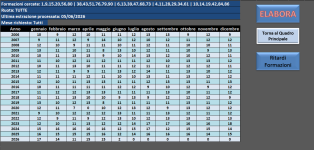
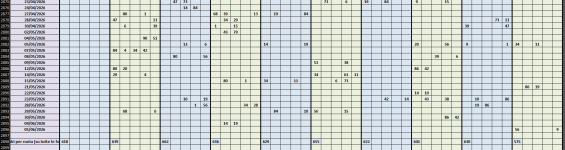
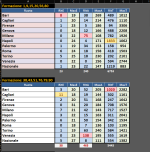
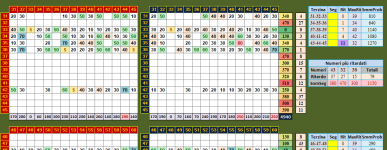
Scusa mi sono accorto solo ora (ero troppo incazzato con me stesso) di cosa mi avevi chiesto:
Macro Aggiorna Archivio:
Option Explicit
Private bCalledFromRicrea As Boolean
Private Function ControllaRiferimenti() As Boolean
Dim testOk As Boolean
testOk = True
On Error Resume Next
Dim testXML As Object
Set testXML = CreateObject("MSXML2.XMLHTTP")
If Err.Number <> 0 Then
MsgBox "Impossibile creare oggetto MSXML. Installare Microsoft XML.", vbCritical
testOk = False
End If
Err.Clear
Dim testStream As Object
Set testStream = CreateObject("ADODB.Stream")
If Err.Number <> 0 Then
MsgBox "Impossibile creare oggetto ADODB.Stream. Installare Microsoft ActiveX Data Objects.", vbCritical
testOk = False
End If
On Error GoTo 0
ControllaRiferimenti = testOk
End Function
Private Function Get7ZipPath() As String
Dim paths(2) As String
paths(0) = "C:\Program Files\7-Zip\7z.exe"
paths(1) = "C:\Program Files (x86)\7-Zip\7z.exe"
paths(2) = Environ("ProgramFiles") & "\7-Zip\7z.exe"
Dim i As Integer
For i = 0 To 2
If Dir(paths(i)) <> "" Then Get7ZipPath = paths(i): Exit Function
Next i
Get7ZipPath = ""
End Function
Private Function TestWritePermissions(ByVal folderPath As String) As Boolean
Dim testFile As String
testFile = folderPath & "\test_" & Format(Now, "yyyymmddhhnnss") & ".tmp"
On Error Resume Next
Open testFile For Output As #1
Close #1
If Dir(testFile) <> "" Then Kill testFile
TestWritePermissions = (Err.Number = 0)
On Error GoTo 0
End Function
Private Function RuotaToCol(ByVal r As String) As Long
Select Case r
Case "BA": RuotaToCol = 4
Case "CA": RuotaToCol = 9
Case "FI": RuotaToCol = 14
Case "GE": RuotaToCol = 19
Case "MI": RuotaToCol = 24
Case "NA": RuotaToCol = 29
Case "PA": RuotaToCol = 34
Case "RM": RuotaToCol = 39
Case "TO": RuotaToCol = 44
Case "VE": RuotaToCol = 49
Case "RN": RuotaToCol = 54
Case Else: RuotaToCol = 0
End Select
End Function
Sub AggiornaArchivio()
Application.ScreenUpdating = False
Application.EnableEvents = False
Application.Calculation = xlCalculationManual
Application.DisplayStatusBar = True
If Not ControllaRiferimenti() Then Exit Sub
Dim zipPath As String
zipPath = Get7ZipPath()
If zipPath = "" Then MsgBox "7-Zip non trovato.", vbCritical: Exit Sub
If Not TestWritePermissions(ThisWorkbook.Path) Then
MsgBox "Permessi insufficienti sulla cartella.", vbCritical: Exit Sub
End If
On Error GoTo ErrorHandler
' Blocca Application solo se chiamata standalone
If Not bCalledFromRicrea Then
With Application
.ScreenUpdating = False
.EnableEvents = False
.Calculation = xlCalculationManual
.CalculateBeforeSave = False
.DisplayAlerts = False
.DisplayStatusBar = True
End With
End If
Dim url As String, zipFile As String, txtFile As String
Dim wsArchivio As Worksheet
Dim lastRowArchivio As Long, lastValue As Long
Dim i As Long, j As Long
Dim http As Object, stream As Object, WshShell As Object, fso As Object
Dim fileContent As String, arrLines() As String
Dim riga As String, dataEstrazione As Date
Dim ultimaDataArchivio As Date
Dim Ruota As String, parts() As String
Dim newRowCount As Long
Dim extractPath As String, extractedFile As String
Dim ultimaData As Date
url = "
https://www.brightstarlottery.it/STORICO_ESTRAZIONI_LOTTO/storico.zip"
zipFile = Environ("TEMP") & "\LottoTemp.zip"
txtFile = Environ("TEMP") & "\LottoTemp.txt"
On Error Resume Next
If Dir(zipFile) <> "" Then Kill zipFile
If Dir(txtFile) <> "" Then Kill txtFile
On Error GoTo ErrorHandler
Set wsArchivio = ThisWorkbook.Sheets("Archivio")
lastRowArchivio = wsArchivio.Range("C" & Rows.count).End(xlUp).row
If lastRowArchivio >= 9 Then
ultimaDataArchivio = CDate(wsArchivio.Cells(lastRowArchivio, 3).Value)
lastValue = CLng(wsArchivio.Cells(wsArchivio.Range("A" & Rows.count).End(xlUp).row, 1).Value)
Else
ultimaDataArchivio = CDate("01/01/1900")
lastValue = 0
End If
Application.StatusBar = "Download archivio..."
Set http = CreateObject("MSXML2.XMLHTTP")
http.Open "GET", url, False
http.Send
If http.Status <> 200 Then
MsgBox "Errore download. Status: " & http.Status
GoTo Cleanup
End If
Set stream = CreateObject("ADODB.Stream")
With stream
.Type = 1
.Open
.Write http.responseBody
.SaveToFile zipFile, 2
.Close
End With
Application.StatusBar = "Estrazione ZIP..."
extractPath = Environ("TEMP") & "\LottoExtract"
On Error Resume Next
Kill extractPath & "\*.*"
RmDir extractPath
On Error GoTo ErrorHandler
MkDir extractPath
Set WshShell = CreateObject("WScript.Shell")
WshShell.Run """" & zipPath & """ e """ & zipFile & """ -o""" & extractPath & """ -y", 0, True
extractedFile = Dir(extractPath & "\*.txt")
If extractedFile = "" Then
MsgBox "File txt non trovato dopo l'estrazione."
GoTo Cleanup
End If
FileCopy extractPath & "\" & extractedFile, txtFile
Application.StatusBar = "Lettura file..."
Set fso = CreateObject("Scripting.FileSystemObject")
With fs

penTextFile(txtFile)
fileContent = .ReadAll
.Close
End With
fileContent = Replace(fileContent, vbCrLf, vbLf)
arrLines = Split(fileContent, vbLf)
Application.StatusBar = "Analisi dati..."
Dim firstNewLine As Long
firstNewLine = -1
For i = UBound(arrLines) To 0 Step -1
riga = Trim(arrLines(i))
If Len(riga) > 10 Then
On Error Resume Next
dataEstrazione = DateSerial(CLng(Left(riga, 4)), CLng(Mid(riga, 6, 2)), CLng(Right(Left(riga, 10), 2)))
If Err.Number = 0 Then
If dataEstrazione <= ultimaDataArchivio Then
firstNewLine = i + 1
Exit For
End If
Else
Err.Clear
End If
On Error GoTo ErrorHandler
End If
Next i
If firstNewLine = -1 Then firstNewLine = 0
Dim totalNewDates As Long
totalNewDates = 0
Dim prevDateStr As String
prevDateStr = ""
For i = firstNewLine To UBound(arrLines)
riga = Trim(arrLines(i))
If Len(riga) > 10 Then
On Error Resume Next
dataEstrazione = DateSerial(CLng(Left(riga, 4)), CLng(Mid(riga, 6, 2)), CLng(Right(Left(riga, 10), 2)))
If Err.Number = 0 Then
Dim ds2 As String
ds2 = Format(dataEstrazione, "dd/mm/yyyy")
If ds2 <> prevDateStr Then
totalNewDates = totalNewDates + 1
prevDateStr = ds2
End If
Else
Err.Clear
End If
On Error GoTo ErrorHandler
End If
Next i
If totalNewDates = 0 Then
MsgBox "Nessuna nuova estrazione da aggiungere."
GoTo Cleanup
End If
Dim TOTAL_COLS As Long
TOTAL_COLS = 58
Dim dataArr() As Variant
ReDim dataArr(1 To totalNewDates, 1 To TOTAL_COLS)
Dim r As Long, c As Long
For r = 1 To totalNewDates
For c = 4 To TOTAL_COLS
dataArr(r, c) = 0
Next c
Next r
Application.StatusBar = "Elaborazione dati in memoria..."
newRowCount = 0
Dim currentDateStr As String
currentDateStr = ""
Dim baseCol As Long
For i = firstNewLine To UBound(arrLines)
riga = Trim(arrLines(i))
If Len(riga) > 10 Then
On Error Resume Next
dataEstrazione = DateSerial(CLng(Left(riga, 4)), CLng(Mid(riga, 6, 2)), CLng(Right(Left(riga, 10), 2)))
If Err.Number <> 0 Then Err.Clear: GoTo NextLine2
On Error GoTo ErrorHandler
Dim dataStr As String
dataStr = Format(dataEstrazione, "dd/mm/yyyy")
If currentDateStr <> dataStr Then
newRowCount = newRowCount + 1
currentDateStr = dataStr
dataArr(newRowCount, 1) = lastValue + newRowCount
dataArr(newRowCount, 3) = dataEstrazione
End If
parts = Split(Mid(riga, 12), vbTab)
If UBound(parts) >= 5 Then
Ruota = Trim(parts(0))
baseCol = RuotaToCol(Ruota)
If baseCol > 0 Then
For j = 0 To 4
dataArr(newRowCount, baseCol + j) = CLng(Trim(parts(j + 1)))
Next j
End If
End If
End If
NextLine2:
Next i
Application.StatusBar = "Scrittura su foglio..."
Dim destRow As Long
destRow = lastRowArchivio + 1
' Scrittura array in un colpo solo — nessun loop sul foglio
wsArchivio.Cells(destRow, 1).Resize(newRowCount, TOTAL_COLS).Value = dataArr
Call ApplicaFormattazioneTabella(wsArchivio, 9, 1, 58)
' Aggiorna automaticamente DataFineAnalisi con l'ultima data in archivio
ultimaData = wsArchivio.Cells(destRow + newRowCount - 1, 3).Value
ThisWorkbook.Names("DataFineAnalisi").RefersTo = "=""" & Format(ultimaData, "yyyy-mm-dd") & """"
' ?? AGGIORNA AUTOMATICAMENTE ARCHIVIO FILTRATO
Call AggiornaArchivioFiltrato
' ?? FORMATTA AUTOMATICAMENTE ARCHIVIO FILTRATO
Dim wsF As Worksheet
Set wsF = ThisWorkbook.Sheets("ArchivioFiltrato")
Call ApplicaFormattazioneTabella(wsF, 1, 1, 58)
' Formato data su tutta la colonna C in un unico Range
wsArchivio.Range( _
wsArchivio.Cells(destRow, 3), _
wsArchivio.Cells(destRow + newRowCount - 1, 3) _
).NumberFormat = "dd/mm/yyyy"
Cleanup:
Application.StatusBar = "Pulizia file temporanei..."
On Error Resume Next
If Dir(zipFile) <> "" Then Kill zipFile
If Dir(txtFile) <> "" Then Kill txtFile
If Dir(extractPath & "\*.*") <> "" Then Kill extractPath & "\*.*"
RmDir extractPath
On Error GoTo 0
' Ripristina Application solo se chiamata standalone
If Not bCalledFromRicrea Then
With Application
.EnableEvents = True
.ScreenUpdating = True
.Calculation = xlCalculationAutomatic
.CalculateBeforeSave = True
.CutCopyMode = False
.DisplayAlerts = True
.StatusBar = False
End With
If newRowCount > 0 Then
MsgBox "Aggiornamento completato. Aggiunte " & newRowCount & " nuove estrazioni."
Else
MsgBox "Nessuna nuova estrazione da aggiungere."
End If
End If
Exit Sub
ErrorHandler:
MsgBox "Errore: " & Err.Description & vbCrLf & "N. " & Err.Number
Resume Cleanup
Application.ScreenUpdating = True
Application.EnableEvents = True
Application.Calculation = xlCalculationAutomatic
End Sub
Sub RicreaArchivio()
Dim risposta As Integer
risposta = MsgBox("Sei sicuro di voler cancellare tutto l'archivio e ricrearlo da zero?" & vbCrLf & "L'operazione potrebbe richiedere diversi minuti.", vbYesNo + vbExclamation, "Conferma")
If risposta = vbNo Then Exit Sub
Dim wsArchivio As Worksheet
Set wsArchivio = ThisWorkbook.Sheets("Archivio")
' Blocca tutto una volta sola qui, non verrà ripristinato da AggiornaArchivio
With Application
.ScreenUpdating = False
.EnableEvents = False
.Calculation = xlCalculationManual
.CalculateBeforeSave = False
.DisplayAlerts = False
.DisplayStatusBar = True
End With
Application.StatusBar = "Cancellazione archivio..."
Dim lastRow As Long
lastRow = wsArchivio.Cells(Rows.count, "C").End(xlUp).row
If lastRow >= 9 Then
wsArchivio.Range("A9:BF" & lastRow).ClearContents
End If
' Segnala ad AggiornaArchivio di non toccare Application
bCalledFromRicrea = True
AggiornaArchivio
bCalledFromRicrea = False
' Ripristina tutto solo ora, dopo che 7000 righe sono già scritte
With Application
.EnableEvents = True
.ScreenUpdating = True
.Calculation = xlCalculationAutomatic
.CalculateBeforeSave = True
.CutCopyMode = False
.DisplayAlerts = True
.StatusBar = False
End With
MsgBox "Ricostruzione archivio completata.", vbInformation, "Fatto"
End Sub
è quella attuale diversa da quella che c'era.
Macro crea storico TXT, l'ho provata funziona con spaziometria, ma non se non c'è nessuna estrazione, peccato, quando avrò voglia vedrò cosa posso fare.
Option Explicit
Sub CreaStoricoTXT()
Dim sh As Worksheet
Dim lastRow As Long, r As Long
Dim f As Integer
Dim pathTXT As String
Dim DataEstr As String
Dim Anno As String, Mese As String, giorno As String
Dim Ruota As Long, c As Long
Dim colMap(1 To 11) As Long
Dim sigla(1 To 11) As String
Dim line As String
Set sh = ThisWorkbook.Worksheets("Archivio")
' Mappa colonne ruote
colMap(1) = 4 ' BA
colMap(2) = 9 ' CA
colMap(3) = 14 ' FI
colMap(4) = 19 ' GE
colMap(5) = 24 ' MI
colMap(6) = 29 ' NA
colMap(7) = 34 ' PA
colMap(8) = 39 ' RM (Roma)
colMap(9) = 44 ' TO
colMap(10) = 49 ' VE
colMap(11) = 54 ' RN (Nazionale)
' Sigle nel formato richiesto da Ramco
sigla(1) = "BA"
sigla(2) = "CA"
sigla(3) = "FI"
sigla(4) = "GE"
sigla(5) = "MI"
sigla(6) = "NA"
sigla(7) = "PA"
sigla(8) = "RM"
sigla(9) = "TO"
sigla(10) = "VE"
sigla(11) = "RN"
lastRow = sh.Cells(sh.Rows.count, "C").End(xlUp).row
' Percorso file TXT nella cartella TEMP
pathTXT = Environ$("TEMP") & "\storico.txt"
f = FreeFile
Open pathTXT For Output As #f
' Loop su tutte le estrazioni
For r = 9 To lastRow
DataEstr = sh.Cells(r, "C").Value
If IsDate(DataEstr) Then
giorno = Format(Day(DataEstr), "00")
Mese = Format(Month(DataEstr), "00")
Anno = Format(Year(DataEstr), "0000")
' Formato richiesto: AAAA/MM/GG
Dim dataTXT As String
dataTXT = Anno & "/" & Mese & "/" & giorno
' 11 righe per ogni estrazione
For Ruota = 1 To 11
line = dataTXT & vbTab & sigla(Ruota)
For c = 0 To 4
line = line & vbTab & Format(sh.Cells(r, colMap(Ruota) + c).Value, "00")
Next
Print #f, line
Next
End If
Next r
Close #f
MsgBox "File storico.txt generato correttamente in: " & vbCrLf & pathTXT, vbInformation
End Sub
Evidenziazione e deevidenziazione:
Option Explicit
Public MostraInfo As Boolean
Const FIRST_ROW As Long = 9
Function GetColor(index As Long) As Long
Select Case index
Case 1: GetColor = RGB(255, 255, 0)
Case 2: GetColor = RGB(255, 200, 0)
Case 3: GetColor = RGB(255, 80, 80)
Case 4: GetColor = RGB(150, 255, 150)
Case 5: GetColor = RGB(0, 180, 0)
Case 6: GetColor = RGB(150, 200, 255)
Case 7: GetColor = RGB(0, 120, 255)
Case 8: GetColor = RGB(180, 120, 255)
Case 9: GetColor = RGB(255, 150, 200)
Case 10: GetColor = RGB(220, 220, 220)
Case 11: GetColor = RGB(150, 150, 150)
Case 12: GetColor = RGB(180, 120, 60)
Case 13: GetColor = RGB(120, 255, 220)
Case 14: GetColor = RGB(255, 215, 0)
Case 15: GetColor = RGB(180, 230, 255)
End Select
End Function
' ============================
' MACRO MASTER
' ============================
Sub EvidenziazioneMaster()
If MostraInfo = False Then
Dim risposta As VbMsgBoxResult
risposta = MsgBox( _
"MACRO DI EVIDENZIAZIONE - GUIDA RAPIDA" & vbCrLf & vbCrLf & _
"A - Evidenzia numeri personali" & vbCrLf & _
"B - Evidenzia numeri uguali nelle ultime 18 estrazioni" & vbCrLf & _
"C - Numeri ricorrenti non combinati nelle ultime 14 estrazioni" & vbCrLf & vbCrLf & _
"Vuoi continuare a mostrare questo messaggio?", _
vbYesNoCancel + vbInformation, "Informazioni sulla macro")
If risposta = vbNo Then
MostraInfo = True
ElseIf risposta = vbCancel Then
Exit Sub
End If
End If
Dim scelta As String
scelta = UCase(InputBox( _
"A = numeri personali" & vbCrLf & _
"B = numeri uguali" & vbCrLf & _
"C = numeri ricorrenti non combinati", "Seleziona modalita"))
If scelta = "A" Then
Call EvidenziaNumeriDaData
ElseIf scelta = "B" Then
Call VerificaNumeriUgualiIntegrata
ElseIf scelta = "C" Then
Call VerificaNumeriRicorrentiNonCombinati
Else
MsgBox "Scelta non valida."
End If
End Sub
' ============================
' A) EVIDENZIA NUMERI PERSONALI
' ============================
Sub EvidenziaNumeriDaData()
Dim ws As Worksheet
Dim nums(1 To 15) As Variant
Dim InputStr As String, parts As Variant
Dim startDate As Date
Dim r As Long, i As Long
Dim lastRow As Long
Dim foundRow As Long
Dim Ruote() As String
Dim colonneRuote As Variant
Dim k As Integer
Set ws = ThisWorkbook.Sheets("Archivio")
Ruote = Split("Bari,Cagliari,Firenze,Genova,Milano,Napoli,Palermo,Roma,Torino,Venezia,Nazionale", ",")
colonneRuote = Array("D:H", "I:M", "N:R", "S:W", "X:AB", "AC:AG", "AH:AL", "AM:AQ", "AR:AV", "AW:BA", "BB:BF")
lastRow = ws.Cells(ws.Rows.count, "A").End(xlUp).row
InputStr = InputBox("Inserisci fino a 15 numeri separati da virgola", "Evidenzia numeri")
If Trim(InputStr) = "" Then Exit Sub
parts = Split(InputStr, ",")
If UBound(parts) > 14 Then
MsgBox "Puoi inserire massimo 15 numeri", vbExclamation
Exit Sub
End If
For i = 0 To UBound(parts)
nums(i + 1) = val(Trim(parts(i)))
Next i
On Error Resume Next
startDate = CDate(InputBox("Inserisci la data di inizio (es. 02/01/2024)", "Data inizio"))
On Error GoTo 0
If startDate = 0 Then Exit Sub
foundRow = 0
For r = FIRST_ROW To lastRow
If ws.Cells(r, "C").Value >= startDate Then
foundRow = r
Exit For
End If
Next r
If foundRow = 0 Then
MsgBox "Nessuna data uguale o successiva trovata.", vbExclamation
Exit Sub
End If
Call DeEvidenzia
Application.ScreenUpdating = False
For k = LBound(Ruote) To UBound(Ruote)
Dim rng As Range
Set rng = ws.Range( _
ws.Cells(foundRow, ws.Range(colonneRuote(k)).Column), _
ws.Cells(lastRow, ws.Range(colonneRuote(k)).Columns( _
ws.Range(colonneRuote(k)).Columns.count).Column))
For i = 1 To UBound(parts) + 1
If nums(i) <> 0 Then
On Error Resume Next
With rng.FormatConditions.Add( _
Type:=xlCellValue, _
Operator:=xlEqual, _
Formula1:="=" & nums(i))
.Interior.Color = GetColor(i)
End With
On Error GoTo 0
End If
Next i
Next k
Application.ScreenUpdating = True
MsgBox "Evidenziazione completata."
End Sub
' ============================
' B) VERIFICA NUMERI UGUALI
' ============================
Sub VerificaNumeriUgualiIntegrata()
Dim ws As Worksheet
Dim ultimaEstrazione As Range
Dim estrazioni As Range
Dim numeriUguali As Collection
Dim Numero As Variant
Dim i As Integer, j As Integer, k As Integer
Dim Ruote() As String
Dim colonneRuote As Variant
Dim UltimaRiga As Long
Dim cella As Range
Dim trovato As Boolean
Dim colorIndex As Long
Set ws = ThisWorkbook.Sheets("Archivio")
Ruote = Split("Bari,Cagliari,Firenze,Genova,Milano,Napoli,Palermo,Roma,Torino,Venezia,Nazionale", ",")
colonneRuote = Array("D:H", "I:M", "N:R", "S:W", "X:AB", "AC:AG", "AH:AL", "AM:AQ", "AR:AV", "AW:BA", "BB:BF")
UltimaRiga = ws.Cells(ws.Rows.count, "A").End(xlUp).row
Call DeEvidenzia
Application.ScreenUpdating = False
For k = LBound(Ruote) To UBound(Ruote)
Set numeriUguali = New Collection
Set ultimaEstrazione = ws.Range( _
ws.Cells(UltimaRiga, ws.Range(colonneRuote(k)).Column), _
ws.Cells(UltimaRiga, ws.Range(colonneRuote(k)).Columns( _
ws.Range(colonneRuote(k)).Columns.count).Column))
Set estrazioni = ws.Range( _
ws.Cells(UltimaRiga - 18, ws.Range(colonneRuote(k)).Column), _
ws.Cells(UltimaRiga - 1, ws.Range(colonneRuote(k)).Columns( _
ws.Range(colonneRuote(k)).Columns.count).Column))
For Each cella In ultimaEstrazione
Numero = cella.Value
If IsNumeric(Numero) And val(Numero) <> 0 Then
colorIndex = ((val(Numero) - 1) Mod 15) + 1
trovato = False
For i = 1 To estrazioni.Rows.count
For j = 1 To estrazioni.Columns.count
If estrazioni.Cells(i, j).Value = Numero Then
trovato = True
On Error Resume Next
With estrazioni.Cells(i, j).FormatConditions.Add( _
Type:=xlCellValue, _
Operator:=xlEqual, _
Formula1:="=" & Numero)
.Interior.Color = GetColor(colorIndex)
End With
On Error GoTo 0
End If
Next j
Next i
If trovato Then
On Error Resume Next
numeriUguali.Add Numero, CStr(Numero)
With cella.FormatConditions.Add( _
Type:=xlCellValue, _
Operator:=xlEqual, _
Formula1:="=" & Numero)
.Interior.Color = GetColor(colorIndex)
End With
On Error GoTo 0
End If
End If
Next cella
Next k
Application.ScreenUpdating = True
MsgBox "Evidenziazione completata."
End Sub
Sub VerificaNumeriRicorrentiNonCombinati()
Dim ws As Worksheet
Dim Ruote() As String
Dim colonneRuote As Variant
Dim UltimaRiga As Long
Dim k As Integer
Dim i As Integer, j As Integer
Dim estrazioni As Range
Dim colorIndex As Long
Dim num As Variant
Dim chiave As Variant
Set ws = ThisWorkbook.Sheets("Archivio")
Ruote = Split("Bari,Cagliari,Firenze,Genova,Milano,Napoli,Palermo,Roma,Torino,Venezia,Nazionale", ",")
colonneRuote = Array("D:H", "I:M", "N:R", "S:W", "X:AB", "AC:AG", "AH:AL", "AM:AQ", "AR:AV", "AW:BA", "BB:BF")
UltimaRiga = ws.Cells(ws.Rows.count, "A").End(xlUp).row
' --- Chiedi numero estrazioni ---
Dim inputN As String
inputN = InputBox("Quante estrazioni vuoi analizzare?", "Numero estrazioni", "6")
If Trim(inputN) = "" Then Exit Sub
Dim nEstrazioni As Integer
nEstrazioni = CInt(inputN)
If nEstrazioni < 2 Then
MsgBox "Inserisci almeno 2 estrazioni.", vbExclamation
Exit Sub
End If
Call DeEvidenzia
Application.ScreenUpdating = False
For k = LBound(Ruote) To UBound(Ruote)
Set estrazioni = ws.Range( _
ws.Cells(UltimaRiga - nEstrazioni + 1, ws.Range(colonneRuote(k)).Column), _
ws.Cells(UltimaRiga, ws.Range(colonneRuote(k)).Columns( _
ws.Range(colonneRuote(k)).Columns.count).Column))
' --- STEP 1: Conta occorrenze ---
Dim conteggio As Object
Set conteggio = CreateObject("Scripting.Dictionary")
For i = 1 To estrazioni.Rows.count
For j = 1 To estrazioni.Columns.count
num = estrazioni.Cells(i, j).Value
If IsNumeric(num) And num <> 0 Then
If conteggio.Exists(num) Then
conteggio(num) = conteggio(num) + 1
Else
conteggio.Add num, 1
End If
End If
Next j
Next i
' --- STEP 2: Evidenzia numeri usciti 2 o piu' volte ---
For Each chiave In conteggio.Keys
If conteggio(chiave) >= 2 Then
colorIndex = ((CLng(chiave) - 1) Mod 15) + 1
On Error Resume Next
With estrazioni.FormatConditions.Add( _
Type:=xlCellValue, _
Operator:=xlEqual, _
Formula1:="=" & chiave)
.Interior.Color = GetColor(colorIndex)
End With
On Error GoTo 0
End If
Next chiave
Next k
Application.ScreenUpdating = True
MsgBox "Evidenziazione C completata. Analizzate " & nEstrazioni & " estrazioni."
End Sub
' ============================
' RIMUOVI FORMATTAZIONE CONDIZIONALE
' ============================
Sub DeEvidenzia()
Dim ws As Worksheet
Dim Ruote() As String
Dim colonneRuote As Variant
Dim UltimaRiga As Long
Dim k As Integer
Dim estrazioni As Range
Set ws = ThisWorkbook.Sheets("Archivio")
Ruote = Split("Bari,Cagliari,Firenze,Genova,Milano,Napoli,Palermo,Roma,Torino,Venezia,Nazionale", ",")
colonneRuote = Array("D:H", "I:M", "N:R", "S:W", "X:AB", "AC:AG", "AH:AL", "AM:AQ", "AR:AV", "AW:BA", "BB:BF")
UltimaRiga = ws.Cells(ws.Rows.count, "A").End(xlUp).row
Application.ScreenUpdating = False
For k = LBound(Ruote) To UBound(Ruote)
Set estrazioni = ws.Range( _
ws.Cells(FIRST_ROW, ws.Range(colonneRuote(k)).Column), _
ws.Cells(UltimaRiga, ws.Range(colonneRuote(k)).Columns( _
ws.Range(colonneRuote(k)).Columns.count).Column))
estrazioni.FormatConditions.Delete
Next k
Application.ScreenUpdating = True
End Sub
Macro cambiare data:
Public Sub AvvioArchivio()
Dim d As Variant
Dim dataInserita As Date
Dim dataFineInserita As Date
Dim dataValida As Date
Dim dataFineValida As Date
Dim wsF As Worksheet
' =========================
' DATA INIZIO
' =========================
Do
d = InputBox("Da quale data vuoi iniziare l'analisi dell'archivio?", _
"Data inizio")
If d = "" Then
' Nessuna data inserita ? usa la prima disponibile
dataInserita = TrovaDataValida(#1/1/1900#)
Exit Do
ElseIf IsDate(d) Then
dataInserita = DateValue(CDate(d))
Exit Do
Else
MsgBox "Formato data non valido. Riprova.", vbCritical
End If
Loop
dataValida = TrovaDataValida(dataInserita)
' =========================
' DATA FINE
' =========================
Do
d = InputBox("Fino a quale data vuoi analizzare l'archivio?" & vbCrLf & _
"(Lascia vuoto per usare l'ultima estrazione disponibile)", _
"Data fine")
If d = "" Then
dataFineInserita = TrovaUltimaDataArchivio()
Exit Do
ElseIf IsDate(d) Then
dataFineInserita = CDate(d)
Exit Do
Else
MsgBox "Formato data non valido. Riprova.", vbCritical
End If
Loop
dataFineValida = TrovaDataValidaFine(dataFineInserita)
' Controllo coerenza
If dataFineValida < dataValida Then
MsgBox "La data finale non può essere precedente alla data iniziale.", vbCritical
Exit Sub
End If
' =========================
' SALVA NOMI DEFINITI
' =========================
On Error Resume Next
ThisWorkbook.Names("DataInizioAnalisi").Delete
ThisWorkbook.Names("DataFineAnalisi").Delete
On Error GoTo 0
ThisWorkbook.Names.Add _
Name:="DataInizioAnalisi", _
RefersTo:="=""" & Format(dataValida, "yyyy-mm-dd") & """"
ThisWorkbook.Names.Add _
Name:="DataFineAnalisi", _
RefersTo:="=""" & Format(dataFineValida, "yyyy-mm-dd") & """"
' =========================
' MESSAGGI
' =========================
If dataValida <> dataInserita Then
MsgBox "La data iniziale inserita non era presente nell'archivio." & vbCrLf & _
"Verrà utilizzata la prima data successiva disponibile: " & _
Format(dataValida, "dd/mm/yyyy"), vbInformation
End If
If dataFineValida <> dataFineInserita Then
MsgBox "La data finale inserita non era presente nell'archivio." & vbCrLf & _
"Verrà utilizzata la prima data precedente disponibile: " & _
Format(dataFineValida, "dd/mm/yyyy"), vbInformation
End If
' =========================
' AGGIORNA ARCHIVIO
' =========================
Call AggiornaArchivioFiltrato
Set wsF = ThisWorkbook.Sheets("ArchivioFiltrato")
Call ApplicaFormattazioneTabella(wsF, 1, 1, 58)
End Sub
Function TrovaUltimaDataArchivio() As Date
Dim ws As Worksheet
Dim lastRow As Long
Set ws = Sheets("Archivio")
lastRow = ws.Cells(ws.Rows.count, "C").End(xlUp).row
TrovaUltimaDataArchivio = ws.Cells(lastRow, 3).Value
End Function
Function TrovaDataValidaFine(dataRichiesta As Date) As Date
Dim ws As Worksheet
Dim lastRow As Long
Dim r As Long
Set ws = Sheets("Archivio")
lastRow = ws.Cells(ws.Rows.count, "C").End(xlUp).row
For r = lastRow To 9 Step -1
If IsDate(ws.Cells(r, 3).Value) Then
If ws.Cells(r, 3).Value <= dataRichiesta Then
TrovaDataValidaFine = ws.Cells(r, 3).Value
Exit Function
End If
End If
Next r
TrovaDataValidaFine = ws.Cells(9, 3).Value
End Function